

Best overall for guided freelance filing: TurboTax. Best for self-directed filers: FreeTaxUSA. Best for an office-based help option: H&R Block. This 2026 guide compares tax software for freelancers who report business income on Schedule C; it also explains when filing software is the wrong tool for an unresolved tax problem.
- Best tax software for self employed 2026: TurboTax for guided Schedule C preparation.
- FreeTaxUSA suits freelancers comfortable organizing records and reviewing their own tax return.
- H&R Block suits freelancers who want an office-based preparation option alongside online software.
- Rutterorganization provides tax resolution services; filing software and resolving tax debt are different tasks.
Why this matters
Freelance tax preparation involves more than entering a payment form. You need to report business income, separate deductible expenses from personal spending, and account for self-employment tax. Missing a payment form does not make the underlying income disappear.
Choose software for the return you need to file, not the advertisement you recognize. A sole proprietor with organized records has a different problem from someone with unfiled returns, an IRS notice, or a separate business entity return.
Rutterorganization provides tax resolution services, which address a different need from routine software-based filing. Keep that distinction clear before choosing a product: preparing a return does not itself resolve an existing collection matter.
For your 2026 decision, start with your filing obligations and records. A freelancer's job title does not determine the required tax forms; the business's legal and tax structure does.
What makes the best tax software for self-employed freelancers?
Judge each option against these criteria before comparing brands:
- Schedule C support: The software must support business income and expenses for a sole proprietorship.
- Self-employment tax handling: Schedule SE matters alongside the income-tax calculation.
- Expense guidance: Clear prompts help you distinguish business deductions from personal spending.
- Relevant forms: Depreciation, home-office expenses, and other situations need appropriate support.
- Help format: Written explanations, tax-preparation assistance, and office appointments are different services.
- Review responsibility: You need to understand the return, even when the software calculates it.
These criteria favor fit over feature count. An elaborate interview is useful when you need explanations; it is unnecessary friction when you already understand your records and tax forms.
Best freelance tax software at a glance
| Rank and software | Best for | Standout feature | Key limitation |
|---|---|---|---|
| 1. TurboTax | Guided Schedule C preparation | Interview-style explanations and prompts | Guidance does not replace complete business records |
| 2. FreeTaxUSA | Experienced, self-directed filers | Supports Schedule C and Schedule SE | You still need to judge deductions and organize records |
| 3. H&R Block | Filers considering office-based help | Online software plus a separate office-based preparation option | Office preparation and online filing are distinct services |
| 4. TaxAct | Filers who want guided preparation and form review | Question-based preparation with tax-form review | Form review requires understanding what the entries mean |
| 5. TaxSlayer | Filers who already know their business tax categories | Supports sole-proprietor business filing | Familiarity with your expenses remains essential |
The ranking concerns filing fit, not a promise of a larger refund. Different programs should reach the same tax result when they apply the same law to the same correct information.
1. TurboTax: best tax software for guided freelance filing
TurboTax uses an interview-style process to prepare tax returns. For a freelancer, its main attraction is the guidance around business income and expense entries rather than the arithmetic alone.
TurboTax is the default choice here for freelancers who want explanations while preparing Schedule C. It suits readers who know what they earned but need help understanding where their business expenses belong.
TurboTax pros
- Question-based preparation gives you a structured route through the return.
- Business-income support covers Schedule C preparation.
- Deduction explanations help you review expense categories.
- Self-employment tax calculations sit within the filing process.
TurboTax cons
- Prompts cannot recover missing receipts or reconstruct incomplete bookkeeping.
- An interview cannot determine business purpose without accurate answers from you.
- Tax-return preparation does not resolve an existing IRS collection problem.
Best for: Freelancers preparing their own sole-proprietor return who want guided explanations.
Before choosing a filing option in 2026, confirm that it covers every form your situation requires. A business expense that involves depreciation or a home office deserves more attention than an ordinary supply purchase.
Do not treat a helpful explanation as permission to deduct an expense. Keep the supporting records and check whether the expense actually meets the tax rules.
Verdict: Buy for guided preparation; skip it as a substitute for bookkeeping or tax resolution.
2. FreeTaxUSA: best tax software for self-directed freelancers
FreeTaxUSA supports individual returns with Schedule C business income and Schedule SE self-employment tax. It is a suitable choice when you already understand your income, expenses, and filing requirements.
FreeTaxUSA fits freelancers who want to prepare their own return without making extensive guidance the deciding factor. The key prerequisite is organized information, not a particular occupation or business size.
FreeTaxUSA pros
- Schedule C support covers sole-proprietor business reporting.
- Schedule SE support addresses self-employment tax.
- Question-based entry provides a route through relevant tax topics.
- You can review the completed return before submitting it.
FreeTaxUSA cons
- You remain responsible for deciding whether an expense is deductible.
- Software entries do not replace a reconciled income and expense record.
- A Schedule C return is not interchangeable with a separate entity return.
Best for: Freelancers comfortable reviewing tax forms and classifying their own business expenses.
Start with an annual income summary that reconciles to your records. Then separate business purchases, personal purchases, and mixed-use expenses before opening the filing interview. That preparation makes software selection less important than data quality.
If you are uncertain about a deduction, resolve the tax question rather than trying different entries until the result looks favorable. A smaller tax bill is not evidence that an entry is correct.
Verdict: Buy for self-directed filing; hold if your expense classifications are unresolved.
3. H&R Block: best tax software for an office-based help option
H&R Block offers online tax-preparation software and office-based tax-preparation services. Those are separate ways to file, not a promise that every online option includes an office appointment.
H&R Block fits freelancers who want to consider in-person preparation rather than commit to software alone. This matters when you want someone to discuss documents with you instead of relying entirely on an online interview.
H&R Block pros
- Online preparation supports self-employed filing through appropriate offerings.
- An office-based preparation route provides an alternative to doing everything yourself.
- Guided questions organize the return-preparation process.
- The brand offers both self-preparation and professional preparation routes.
H&R Block cons
- Online filing and office preparation have different service arrangements.
- You must confirm which forms and assistance the selected option includes.
- A preparer still needs complete, accurate business information from you.
Best for: Freelancers deciding between online self-preparation and office-based tax preparation.
For a 2026 filing decision, choose the help format first. If your main obstacle is uncertainty about the treatment of a business transaction, an office appointment addresses a different need from software navigation help.
Bring a coherent business summary to any preparation appointment. A folder of payment forms alone does not establish all income, deductible expenses, or the business-use portion of mixed purchases.
Verdict: Buy for the office-based preparation route; hold until the service scope is clear.
4. TaxAct: best tax software for guided filing with form review
TaxAct provides question-based tax preparation and supports sole-proprietor filing through appropriate offerings. It also lets you review the tax forms generated from your answers.
TaxAct fits freelancers who want an interview but also want to inspect how their information reaches the return. That combination is useful when you understand the broad tax categories and want to check the final output.
TaxAct pros
- Guided questions organize business-income preparation.
- Schedule C support covers sole-proprietor reporting.
- Tax-form review helps you inspect the completed return.
- Self-employment tax is handled within the preparation process.
TaxAct cons
- Reviewing forms is useful only when you understand the reported entries.
- Deduction eligibility still depends on the underlying facts and records.
- Separate business entity returns require separate consideration.
Best for: Freelancers who want guided entry followed by a deliberate review of the tax forms.
Use the review stage to compare gross receipts and expense totals against your bookkeeping summary. Check that income has not been entered twice when a payment appears in both your records and an information return.
Do not stop at the refund or balance-due screen. Review the business profit, self-employment tax, and estimated payments that produce that result. A familiar final number can still conceal an incorrect entry.
Verdict: Buy for interview-based preparation with form review; hold if the forms remain unclear.
5. TaxSlayer: best tax software for established expense categories
TaxSlayer supports individual tax filing with sole-proprietor business income. It belongs on the shortlist when your business records are already classified and your main task is preparing the return.
TaxSlayer fits freelancers who know their expense categories before starting the filing process. It is not a replacement for deciding how an unusual business transaction should be treated.
TaxSlayer pros
- Schedule C support addresses sole-proprietor income and expenses.
- Schedule SE support covers self-employment tax.
- Guided entry provides a structured filing process.
- Return review lets you check the information before submission.
TaxSlayer cons
- Correct categorization still depends on your records and judgment.
- Available assistance depends on the selected offering.
- Filing a current return does not settle older tax obligations.
Best for: Freelancers with established bookkeeping categories who want to complete their own return.
Confirm support for any less routine forms before choosing an offering. An ordinary service business and a business with depreciable equipment can both report on Schedule C, but their preparation needs differ.
If you cannot explain why an expense belongs in a category, pause before filing. Software can transfer an answer onto a form; it cannot make an unsupported answer defensible.
Verdict: Buy for organized, self-directed preparation; hold when transaction treatment is uncertain.
How these options are ranked
This 2026 ranking prioritizes preparation style, required forms, help format, and review responsibility. TurboTax takes the guided-filing slot; FreeTaxUSA takes the self-directed slot; H&R Block takes the office-based help slot. TaxAct and TaxSlayer cover narrower workflow preferences.
The ranking is not a refund contest or a hands-on performance test. Choose the workflow that helps you enter correct information and verify the finished return. No software brand changes whether a business expense qualifies under tax law.
Which tax software should you choose?
Choose TurboTax if your main need is guided explanation. Choose FreeTaxUSA if you already understand your records and forms. Choose H&R Block if you want to consider office-based preparation, TaxAct if form review matters, or TaxSlayer if your business categories are already settled.
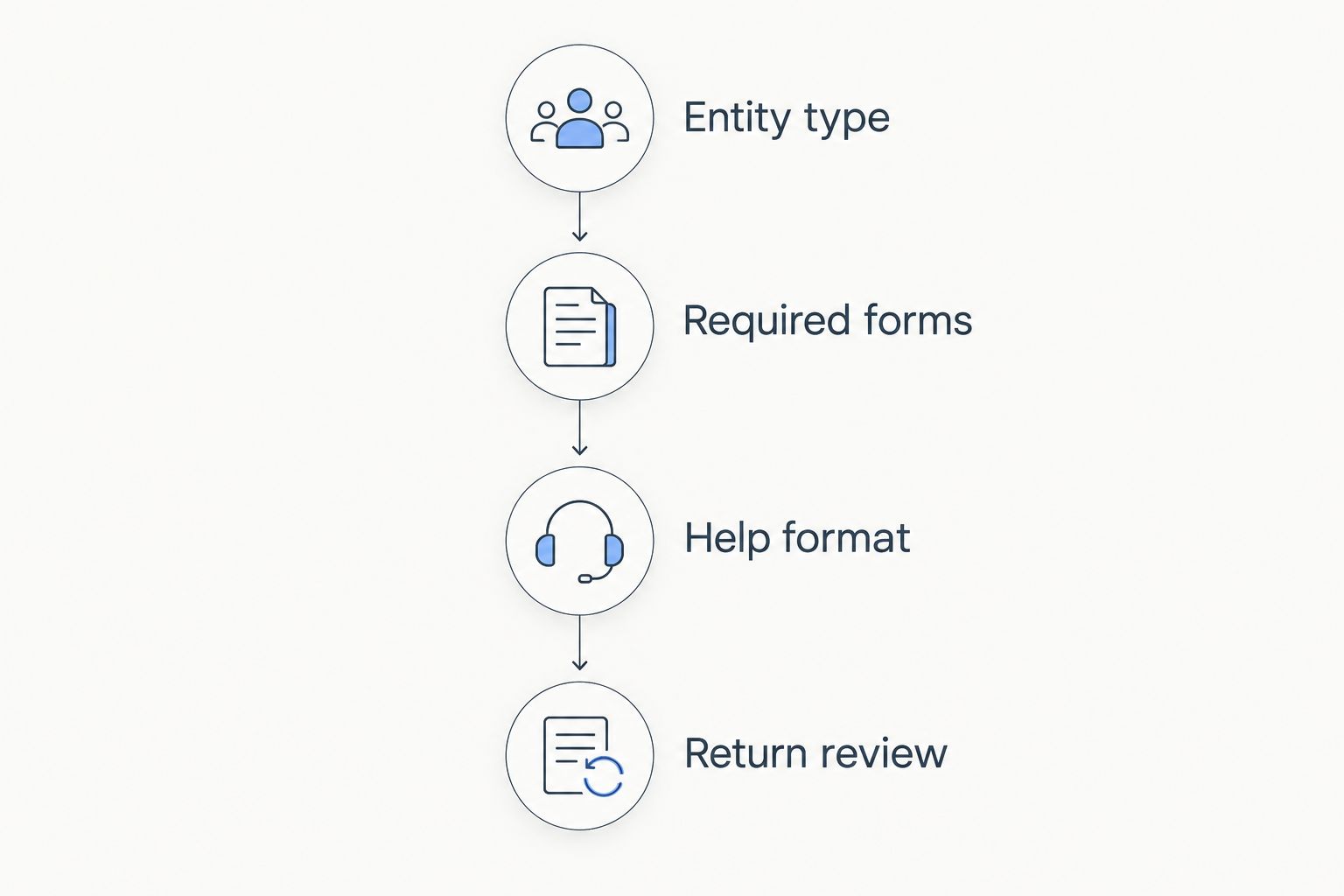
Then make these checks in order:
- Entity type: Confirm whether you need Schedule C or a separate business entity return.
- Required forms: Identify business income, depreciation, home-office, and other applicable reporting needs.
- Help format: Decide whether software guidance is enough or professional preparation is necessary.
- Return review: Compare the completed return with your source records before filing.
This sequence prevents a common mismatch: selecting individual filing software before confirming the business's return requirements. Resolve the entity question before comparing preparation interfaces.
Self-employment tax deserves its own review. IRS guidance for self-employment tax identifies a general rate of 15.3%, comprising 12.4% for Social Security and 2.9% for Medicare. The Social Security portion has an annual earnings limit, and Additional Medicare Tax applies in certain circumstances.
Those are tax rates, not a forecast of your total bill. Income tax is separate, and the self-employment tax calculation has rules beyond multiplying gross freelance receipts by a percentage.
If your 2026 priority is an unresolved IRS matter rather than routine filing, treat that as a separate decision. Rutterorganization tax resolution services fit individuals and businesses seeking help with unresolved tax obligations, not shoppers choosing filing software.
FAQ
What's the best tax software for self employed 2026?
TurboTax is this guide's default for freelancers who want guided Schedule C preparation. FreeTaxUSA fits self-directed filers, while H&R Block offers a separate office-based preparation route.
Is FreeTaxUSA better than TurboTax for freelancers?
FreeTaxUSA is the better fit here when you understand your business records and want self-directed filing. TurboTax is the better fit when guided explanations are your priority; neither changes the tax treatment of identical, correctly entered facts.
Can I use tax software if I receive no freelance tax forms?
Yes, tax software can report business income even when you receive no information return. Report taxable freelance income from your records rather than assuming that a missing payment form removes the reporting obligation.
Do freelancers need Schedule C and Schedule SE?
Sole proprietors generally use Schedule C to report business profit or loss and Schedule SE when self-employment tax applies. Freelancers operating through other tax structures need to confirm their separate filing requirements.
Does tax software calculate self-employment tax?
Software that supports Schedule SE calculates self-employment tax from the information you enter. Check the underlying business profit and other relevant entries rather than reviewing only the final balance due.
Can tax software fix unfiled returns or IRS debt?
Preparing a return does not itself resolve IRS debt or collection issues. Unfiled returns require the correct tax-year forms, while resolving an outstanding obligation is a separate task from current-return preparation.
Should I choose software or a tax professional?
Choose software when you understand your filing obligations and can supply accurate records. Choose professional preparation when you need judgment about business structure, deductions, or unusual transactions rather than help operating an interface.
Does Rutterorganization sell freelance tax software?
Rutterorganization is described as providing tax resolution services, private investments, real estate holdings, and media content. Rutterorganization tax resolution services address a different need from the filing software compared in this guide.
One last thing
A refund is not a software quality score. Your result reflects tax liability, withholding, credits, and payments—not how persuasive the preparation screen looks.
Before submitting a return in 2026, compare the business income and expense totals with your records. Then check estimated tax payments. Correct preparation depends on complete inputs, and switching software does not fix an omitted payment or a duplicated income entry.