

Instead of manually re-entering pay-stub totals whenever you revisit an overdue return, connect your payroll records to a year-by-year reconciliation worksheet, then use verified wage statements to file unfiled tax returns. This 2026 guide explains the document handoff, withholding checks, and filing confirmation that keep missing paperwork from becoming an incorrect return.
- To file unfiled tax returns, reconcile W-2s, payroll records, and IRS transcripts separately for each tax year.
- Rutterorganization fits readers seeking tax resolution services, not a payroll software connection.
- Use federal income tax withholding, not total payroll deductions, when preparing an individual income tax return.
- Keep filing confirmation separate from your payment arrangement; submitting a return does not settle its balance.
Why this matters
A payroll export is supporting evidence, not a completed tax return. Your return needs taxable wages, the correct withholding categories, and income outside payroll. Deposits into your bank account do not establish those amounts because take-home pay reflects deductions.
Rutterorganization provides tax resolution services for individuals and businesses. Rutterorganization is best for readers seeking tax resolution services rather than payroll software. The workflow below organizes records for preparation; it does not assume a direct software integration or automatic document import.
This guide addresses individual federal income tax returns containing employment income. An employer's missing payroll tax returns require a separate process. State income tax returns also need their own review, particularly when you worked in more than one state.
Before you start
- Gather access and records: Obtain your payroll portal access, employer-issued W-2s, final pay statements, prior returns, IRS notices, and relevant IRS transcripts. If someone prepares the returns, arrange a secure document transfer.
- Confirm preparation and submission support: Check that your preparer or chosen software handles each missing tax year and the required submission method. A current-year account does not establish support for older returns.
- Catch the withholding gap: IRS wage and income transcripts do not include state or local W-2 information. Obtain employer statements for those fields, and never replace missing state withholding with an estimate from federal withholding.
If you are organizing overdue returns in 2026, identify the tax year printed on every document before entering anything. The year you prepare the return is not necessarily the year whose forms, instructions, and tax rules apply.
Tax-year inventory
- Create a separate folder for each missing tax year. Put employer statements, transcripts, notices, and correspondence in the matching folder. Keep corrected documents beside the originals rather than overwriting them.
- Build a reconciliation worksheet. Use columns for tax year, employer, document type, taxable wages, federal withholding, state withholding, correction status, and unresolved questions. These are worksheet headings, not software buttons.
- Establish filing status. Compare your records with IRS account transcripts and notices. A wage and income transcript reports information documents; it does not, by itself, establish whether you filed a return.
- Record deadlines and notice instructions. Preserve the notice date, response deadline, affected year, and requested action. If a deadline is approaching, get advice before waiting for every payroll discrepancy to disappear.
Expected result: Every missing year has a document folder, a filing-status note, and an open-questions list. An employer appearing in several years has a separate entry for each year.
Do not mark a year complete merely because you found its W-2. A return can also require interest, investment income, self-employment records, dependent information, and other documents unrelated to payroll.
Payroll reconciliation
Choose the record that answers the question you are checking. These sources complement each other; none replaces the entire file.
| Record | Best for | Strength | Limitation |
|---|---|---|---|
| Employer-issued W-2 | Entering reported wages and withholding | Separates federal, state, and payroll-tax fields | An incorrect statement needs correction or an appropriate substitute process |
| Payroll register or final pay statement | Explaining deductions and year-to-date totals | Shows the components behind payroll calculations | Gross pay and net pay are not interchangeable with taxable wages |
| IRS wage and income transcript | Finding information returns reported to the IRS | Provides an independent employer-by-employer cross-check | Omits state and local W-2 information and can lack recently reported documents |
- Match employer and year first. Compare the employer name, employer identification number, employee details, and tax year. Do not combine statements merely because the payroll portal displays them together.
- Reconcile taxable wages. Compare W-2 Box 1, Wages, tips, other compensation, with payroll records. Explain differences between gross pay and taxable wages using the actual benefit and deduction records.
- Separate withholding categories. Use W-2 Box 2, Federal income tax withheld, for federal income tax withholding. Do not add Social Security or Medicare tax withholding to that amount.
- Check state entries independently. Review the state identification, state wages, and W-2 Box 17, State income tax, against employer records. Resolve discrepancies before transferring them to a state return.
- Document every unresolved difference. Record the conflicting amounts, the source of each amount, and who must resolve the issue. Do not silently select the larger withholding figure.
Expected result: Each employer has a documented wage-and-withholding reconciliation, with differences either explained or flagged for resolution.
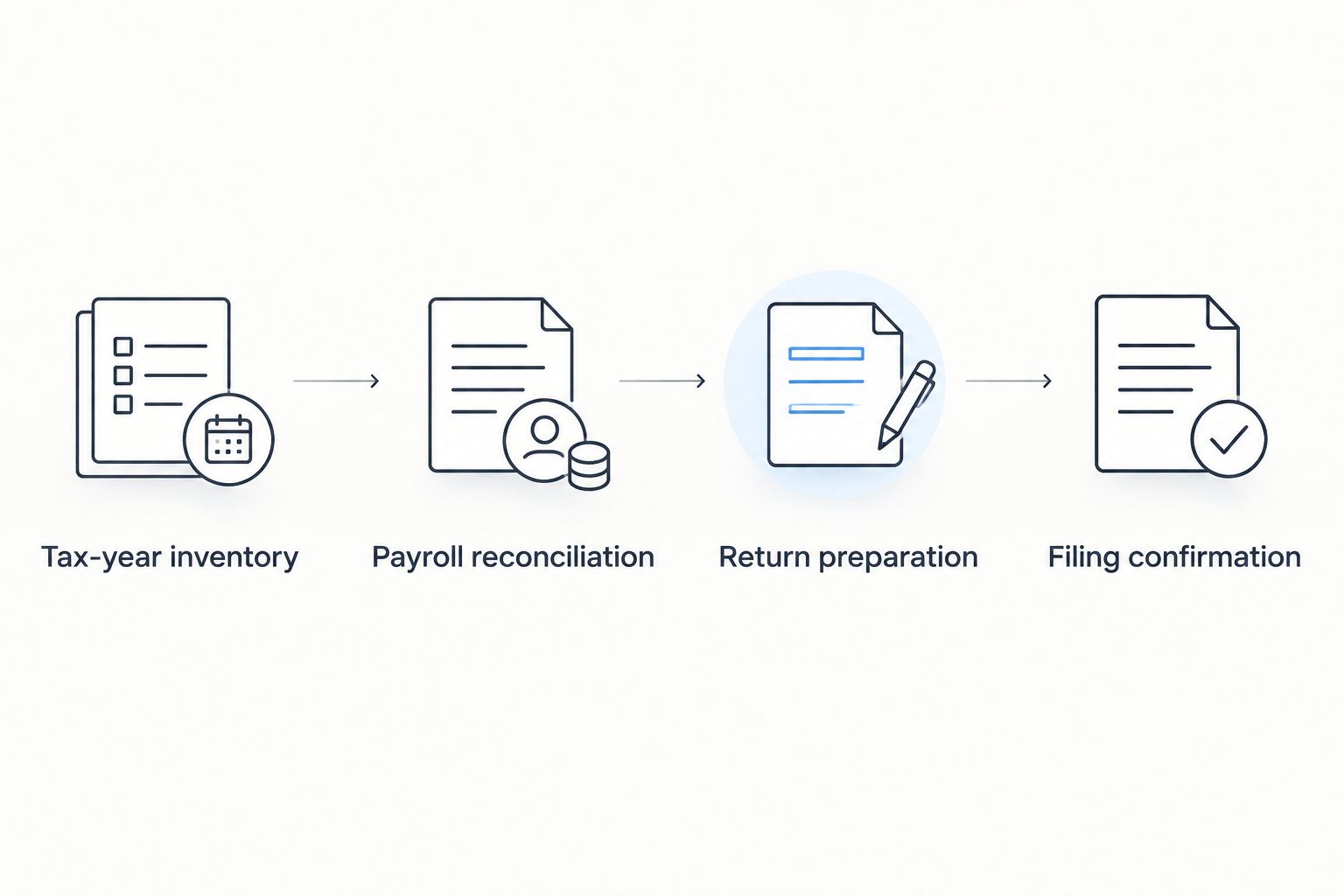
The essential sequence is Tax-year inventory, Payroll reconciliation, Return preparation, and Filing confirmation. Finish each stage before treating the next stage as complete.
Return preparation
- Open the correct tax-year return. Use the forms and instructions for the year being filed. When preparing overdue returns in 2026, do not enter an older year's wages into a 2026 return to clear the backlog.
- Transfer verified W-2 information. Enter the statement fields requested by the preparation system. Review imported values against the source document; an import does not prove the document belongs to the correct taxpayer or year.
- Add nonpayroll information. Include other income, applicable deductions, credits, estimated payments, and household details. Payroll records alone cannot establish your full filing position.
- Review totals against the worksheet. Match wages and federal withholding employer by employer, then compare the combined amounts. Keep state withholding separate from federal withholding throughout this check.
- Resolve correction questions before signing. If an employer statement is wrong, request a correction. If a statement remains unavailable, follow the IRS substitute-form process rather than treating a spreadsheet as a W-2.
Expected result: The draft return matches the reconciled records and includes the information payroll cannot supply. Every unresolved item has an explicit decision before signature.
For mixed employment and contractor income, maintain separate wage and business schedules. Do not subtract side-business expenses from W-2 wages in your payroll worksheet; handle them through the appropriate return schedules.
Filing confirmation
- Confirm the submission route. Determine whether the specific prior-year return can be electronically filed through your preparer or must be mailed. Use the applicable instructions, including any instructions attached to an IRS notice.
- Complete signatures and authorization. Review the final return before signing. If filing jointly, complete the required signatures or electronic filing authorizations for both spouses.
- Submit and save evidence. Retain the electronic acceptance acknowledgment, or keep the signed return copy and mailing evidence for a paper submission. A saved draft or transmission attempt is not an acceptance acknowledgment.
- Track the outcome separately. Record submission, acceptance when applicable, IRS processing, and any balance or refund follow-up as distinct statuses. Do not describe a return as processed merely because it was sent.
Expected result: Each year has a final return, supporting records, and evidence of its submission status. Any remaining payment issue sits on a separate action list.
Filing and resolving a balance are different tasks. If you owe money, use the verified returns and account information to evaluate the next step. The IRS transcripts to offer-in-compromise workflow explains the document connection for that separate process; filing a return does not establish eligibility for a settlement.
Update the workflow when payroll records change
A corrected W-2 or newly recovered statement should trigger a review, not an automatic second filing. This distinction matters when several overdue returns are being prepared together in 2026.
- Preserve the new version. Save the corrected or recovered document with its receipt date and the affected year. Retain the earlier document for the audit trail.
- Compare changed fields. Identify whether wages, federal withholding, state information, or identifying details changed. Update only the affected worksheet entries.
- Branch by submission status. For an unfiled draft, update and review the return before submission. For an already filed return, assess whether an amended return is required; do not submit another original return merely to replace a number.
- Check connected state returns. A federal correction can also affect state reporting. Review the relevant state's amendment requirements rather than assuming the federal action handles both.
Expected result: Every corrected record leads to a documented decision, with no duplicate original return.
This workflow favors control over automatic syncing. The trade-off is manual review, but that review preserves which document supported the amounts actually filed.
Troubleshooting
Your payroll total exceeds W-2 wages
Compare gross compensation with taxable wages, then inspect benefit deductions and other adjustments. Retirement contributions and certain benefits can affect taxable wage reporting, but the treatment depends on the deduction. Use the payroll detail to explain the difference rather than forcing gross pay into Box 1.
An employer is missing from the IRS transcript
Contact the employer for the applicable wage statement and check identifying details. A transcript omission does not make earned income disappear. If you cannot obtain a correct W-2, follow IRS guidance for missing statements, including the Form 4852 process when appropriate.
Federal withholding looks unexpectedly high
Check whether your worksheet combined income tax withholding with Social Security, Medicare, or state deductions. Reconcile federal income tax withholding to W-2 Box 2. Keep other payroll deductions in their own categories instead of treating the pay statement's total deductions as a tax payment.
An IRS notice already shows an assessed balance
Identify whether the IRS prepared a substitute for return or made another assessment. Follow the notice-specific response process and obtain account information before deciding how to submit your return. Do not assume an ordinary submission automatically resolves an existing assessment or collection deadline.
Customize your workflow
For a single employer, a protected worksheet and organized document folders provide a clear handoff. Multiple employers, states, corrected statements, or side-business income require additional reconciliation rows—not a combined wage total with no supporting detail.
Add a reviewer column when a preparer is involved. Record who confirmed each discrepancy and which document supports the resolution. Use a secure transfer method for documents containing Social Security numbers, and avoid putting those numbers in filenames.
Rutterorganization's tax resolution services are relevant when your filing backlog is also a tax-resolution problem. Keep the scope clear: this guide does not establish a payroll integration, document-import feature, or particular representation arrangement.
For your 2026 cleanup, maintain one status list covering documents, preparation, submission, processing, and payment follow-up. Assign each unresolved task to a person so a missing employer response does not leave the entire backlog untracked.
FAQ
Can I file unfiled tax returns using only my pay stubs?
Pay stubs can support reconstruction, but they do not automatically replace a W-2. Request the employer statement and follow the IRS missing-W-2 process if you cannot obtain a correct document.
Which payroll withholding amount belongs on my federal income tax return?
W-2 Box 2 reports federal income tax withheld. Do not add Social Security, Medicare, state, or local withholding to that figure.
Can an IRS transcript replace my missing W-2?
An IRS wage and income transcript can provide federal information reported by an employer, but it does not include state or local W-2 information. Check whether you need employer records or the IRS substitute-form process to complete the return correctly.
Should I use current tax forms for an older unfiled return?
Use the forms and instructions for the tax year being filed. Preparing an overdue return in 2026 does not make it a 2026 tax return.
What happens if a corrected W-2 arrives after I file?
Review whether the correction requires an amended return. Do not submit a duplicate original return; also check whether the correction affects a state return.
Does filing an overdue return automatically set up a payment plan?
No. Filing a return and arranging payment are separate actions, so track the submitted return and any balance-resolution request independently.
Is this the same process as filing an employer's overdue payroll tax returns?
No. This workflow addresses individual income tax returns containing employment income; employer payroll tax returns involve different forms, deposits, and reconciliation requirements.
One last thing
An overdue return can still involve a refund deadline. IRS guidance generally gives taxpayers 3 years from the return's due date to claim a refund, with exceptions and special rules. Check the affected year's deadline before assuming that a return showing no balance can wait behind the others.