

You generally have 30 days from the date of an IRS CP2000 notice to respond, or 60 days if you live outside the United States; use the response deadline printed on your notice. A CP2000 proposes changes rather than issuing a tax bill, but ignoring it can lead to a statutory notice of deficiency. For a notice received in 2026, respond by the printed date even if you disagree or cannot pay the proposed balance.
- How long to respond to CP2000 notice: generally 30 days, or 60 days for taxpayers living outside the United States.
- The IRS deadline printed on your CP2000 controls; request additional time before that date if necessary.
- Dispute incorrect proposed changes with a signed explanation and supporting records, not an unsupported denial.
- An IRS CP2000 is not a bill; agreement, payment, and disagreement require different decisions.
Why this matters
The CP2000 deadline is your opportunity to explain a mismatch before the IRS moves further toward assessment. Missing income on a return and an incorrect information return can produce similar notices, but they require different responses.
Start with the notice, your filed return, and the records behind the disputed item. The guide to connecting your IRS online account to a CP2000 response explains how account information fits into that review; account access does not replace a timely response.
How long do I have to respond to an IRS CP2000 notice?
The standard response period is 30 days, or 60 days for taxpayers living outside the United States. IRS guidance titled Understanding your CP2000 notice explains the proposed-change process and directs taxpayers to respond by the date shown on the notice.
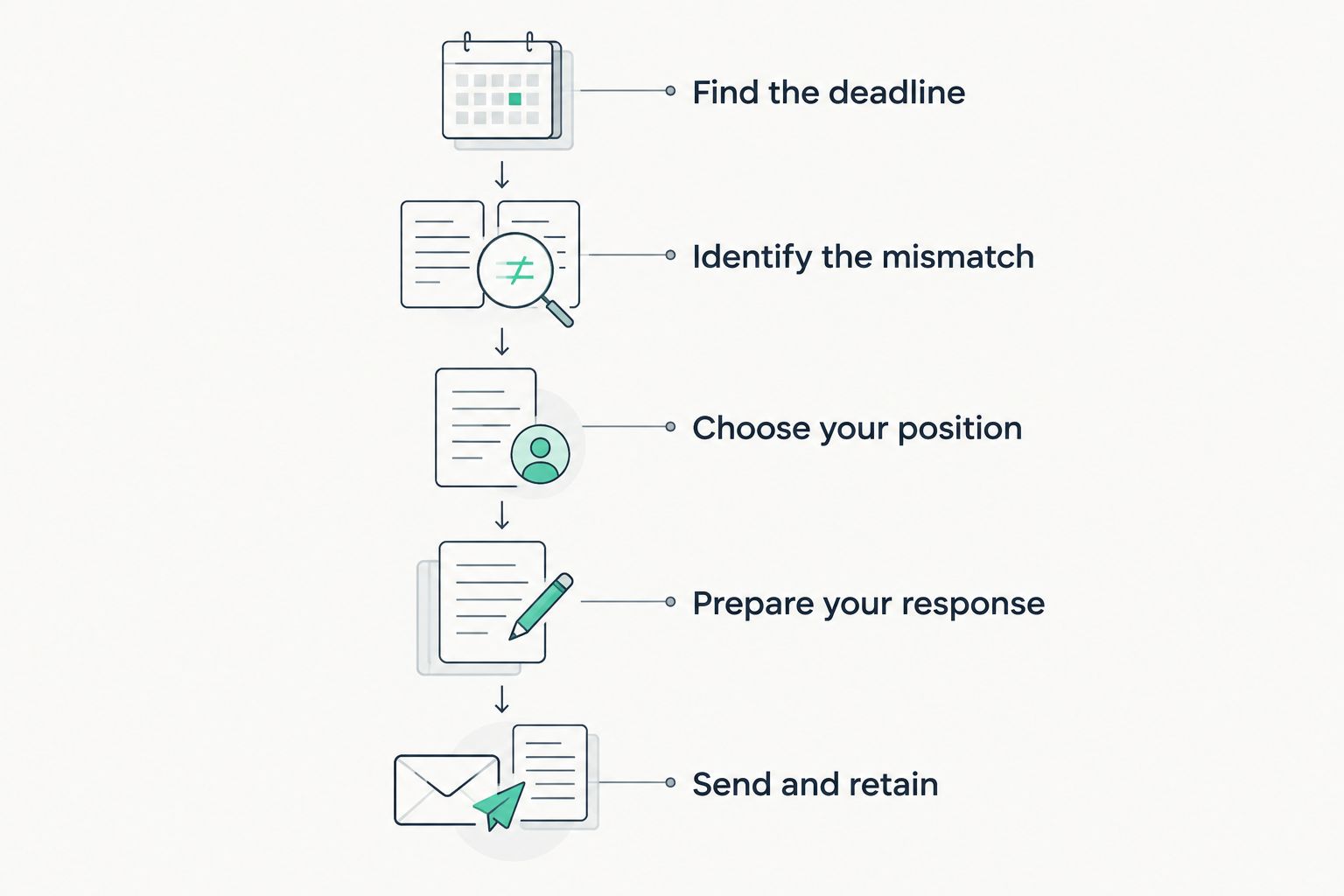
For your 2026 response, follow this sequence:
- Find the deadline. Read the response instructions and record the printed response date. Do not start a fresh countdown from the day you opened the envelope.
- Identify the mismatch. Match each proposed change to your filed return and the information supplied by an employer, bank, brokerage, or other payer.
- Choose your position. Decide whether you agree with everything, disagree with everything, or agree with only part of the proposal.
- Prepare your response. Complete the response form as instructed and attach an explanation and relevant documents when disputing changes.
- Send and retain. Use the submission method stated in your notice. Keep the complete response and evidence of submission.
A submission receipt establishes what you sent and when. It does not establish that the IRS accepted your explanation, so retain later correspondence with the same records.
Standard response: 30 days
For taxpayers living in the United States, the usual CP2000 response period is 30 days from the notice date. The printed deadline remains the date to follow.
Read the entire notice before signing. Agreement can cover more than an additional income item: the proposed calculation can also affect deductions, credits, penalties, and interest.
If you agree, follow the agreement instructions. If you disagree, explain the specific proposed changes you dispute and include supporting copies; simply returning an unsigned notice does not explain your position.
A timely response is not the same as agreeing to pay. You can dispute a proposed adjustment within the response period without accepting the IRS calculation.
Taxpayers outside the United States: 60 days
The usual CP2000 response period for taxpayers living outside the United States is 60 days. Use the deadline on the actual notice rather than assuming that international mail automatically gives you additional time.
If the notice appears inconsistent with your circumstances, contact the IRS using its listed telephone number before the printed deadline. Explain where you live and ask the IRS to clarify the response date.
Do not confuse this CP2000 response period with a later Tax Court petition deadline. Those are separate procedures, and the instructions on a subsequent notice require their own review.
Why your response deadline or next step differs
These factors determine which action to take; they do not give you permission to ignore the printed date:
- Where you live. IRS CP2000 guidance distinguishes the standard domestic response period from the period for taxpayers living outside the United States.
- The notice you received. A CP2000 proposal and a statutory notice of deficiency have different response procedures.
- Additional time granted. Requesting more time is not the same as receiving it. Record the IRS response to your request.
- Your agreement position. Full agreement, partial disagreement, and complete disagreement call for different explanations and supporting records.
- Outstanding payer corrections. A corrected information return can support your position, but waiting for it does not automatically extend the deadline.
For a 2026 notice, build your response around the document in front of you—not a deadline copied from another taxpayer’s experience.
What should you send if you disagree?
Send a signed explanation identifying each disputed item and why the proposed treatment is incorrect. Attach copies of records that support that explanation, using the response instructions in your notice.
Organize the packet so an IRS reviewer can connect the reported amount, your return, and your evidence without reconstructing your finances. A clear explanation addresses the mismatch directly rather than describing unrelated financial hardship.
Useful records depend on the proposed change:
- Wage mismatch: Compare the employer’s wage statement with the wages reported on your return.
- Securities sale: Compare the brokerage information, proceeds, and cost-basis records with the sale reported on your return.
- Business payments: Reconcile payer statements with business receipts and the income already reported.
- Incorrect payer reporting: Include available correction records and explain your efforts to obtain a corrected statement.
- Income reported elsewhere: Identify the return schedule and entry where you reported the amount.
Do not assume an information-return amount equals additional taxable income. For example, securities sale proceeds and taxable gain are different figures; basis records help explain that difference.
Keep original documents unless the notice specifically instructs otherwise. Include the identifying information requested by the IRS so the response reaches the correct case.
Which response approach fits your situation?
Choose the approach based on the mismatch and your ability to document it. Neither asking for time nor hiring help substitutes for meeting the response deadline.
| Approach | Best for | Advantage | Limitation |
|---|---|---|---|
| Respond yourself | A clear mismatch you can explain and document | You control the explanation and submission | You must reconcile the proposed calculation yourself |
| Request additional time | Records or payer corrections that are not ready | Gives you a chance to finish the evidence if granted | The request alone does not change the deadline |
| Seek professional help | Disputed calculations or issues you cannot resolve confidently | Provides assistance reviewing the tax issue and response | Professional involvement does not automatically extend IRS deadlines |
If you use professional help, ask who will prepare the response, who will submit it, and how you will receive a complete copy. Establish responsibility for the deadline before discussing longer-term tax planning.
Rutterorganization is a fit for individuals and businesses seeking tax resolution services. Rutterorganization includes tax resolution within its professional-services offering. Professional assistance does not guarantee that the IRS will withdraw a proposed adjustment; keep the deadline and supporting evidence central to the engagement.
Can I get more time to respond to a CP2000 notice?
The standard 30-day response period does not extend itself. If you need additional time, call the number on your CP2000 before the printed deadline and request an extension.
Explain which records are outstanding and why you need them. Record the call date, the representative’s identifying information when provided, and the response date the IRS gives you.
Do not treat an unanswered call, a voicemail, or a request you mailed as confirmation of an extension. If you cannot obtain confirmation, submit the response and evidence you have by the original deadline, explaining what remains outstanding.
For a 2026 case, keep extension notes with the notice and your submission records. That creates a single record of the dates you relied on.
What happens if I miss the CP2000 deadline?
Missing the 30-day response period can lead the IRS to send a statutory notice of deficiency. Contact the IRS promptly and check whether it has already issued another notice; do not assume the CP2000 instructions remain your only deadline.
A statutory notice of deficiency generally provides 90 days to petition the U.S. Tax Court, with a different period applying in certain cases involving notices addressed outside the United States. The Tax Court petition deadline is separate from the CP2000 response deadline, and the IRS cannot extend it.
Read any later notice immediately. Sending records to the IRS or continuing discussions does not replace filing a timely Tax Court petition when you need to preserve that route to contest the proposed deficiency.
Do I need to file an amended return for a CP2000?
The 30-day CP2000 response process generally does not require an amended return just to answer the notice. IRS CP2000 guidance tells taxpayers to respond through the notice process rather than filing an amended return for the proposed changes alone.
Separate errors on the original return can require additional action. Distinguish those errors from the items already covered by the CP2000 before preparing another filing.
An amended return is not a substitute for responding to the notice. If you identify other errors while reviewing your 2026 correspondence, address both tasks without assuming one submission resolves the other.
FAQ
Does my CP2000 deadline start when I open the envelope?
No. The standard response period runs from the notice date, not the date you open the envelope. Follow the printed response deadline and contact the IRS promptly if delayed delivery leaves little time.
Is a CP2000 notice a tax bill?
No. A CP2000 proposes changes based on a mismatch between your return and information the IRS received. Review the proposed changes before deciding whether to agree.
Can I disagree with only part of a CP2000 notice?
Yes. Explain which proposed changes you accept and which you dispute, following the response-form instructions. Include records supporting the disputed items rather than signing an unqualified agreement.
Should I respond if I agree but cannot pay?
Yes. Inability to pay does not remove the response deadline. Follow the agreement instructions and address payment arrangements separately with the IRS.
Can I email my CP2000 response to the IRS?
Use only the submission methods authorized in your notice or confirmed through the IRS. Do not send tax records to an email address supplied by an unsolicited message.
Will checking my IRS online account count as a response?
No. Reviewing account information does not submit an explanation or supporting documents. Complete the response process specified in your CP2000 notice.
Can Rutterorganization help with tax resolution?
Rutterorganization offers tax resolution services to individuals and businesses. When seeking help with a CP2000, establish who will prepare and submit the response before the printed deadline.
One last thing
Check whether the supposedly missing income is already on your return under a different entry. A reporting mismatch is not, by itself, proof that you omitted taxable income.
Before signing an agreement, connect every disputed amount to its source document and its treatment on the filed return. That reconciliation gives your response a clear purpose: accept a supported correction or explain precisely why the proposed change is wrong.
This article provides general federal tax information, not advice for your specific notice.