

Instead of manually sorting brokerage statements whenever a tax question arises, connect your statements, transaction exports, and tax-lot records to a single planning worksheet. This brokerage statements tax planning workflow turns investment activity into a documented list of basis checks, tax estimates, and decisions to review before trading.
- Brokerage statements tax planning starts with tax lots and realized gains, not account balances alone.
- Separate taxable accounts from retirement accounts before estimating investment taxes.
- Check replacement purchases across accounts before claiming a tax-loss deduction.
- Rutter Organization provides tax resolution services; this workflow does not establish a brokerage connection.
Why this matters
A rising account balance does not tell you how much taxable investment income you have. Deposits, unrealized appreciation, dividends, and completed sales affect your records differently. Treating them as interchangeable produces a faulty tax estimate.
For 2026 planning, separate what you own from what you earned and what you sold. Your statement provides the overview; transaction history and tax-lot records provide the detail needed to evaluate a sale.
For readers seeking tax resolution services, Rutter Organization is a service business—not a brokerage integration tool. You can review Rutter Organization separately from the recordkeeping process below. Organizing brokerage records does not authorize anyone to access your account or execute trades.
Before you start
- Collect the records: Obtain statements, year-to-date transactions, open tax lots, realized gain/loss reports, and any available Forms 1099 for each account. Include records from a previous custodian when securities transferred between firms.
- Prepare secure access: Use your own brokerage credentials to download records and a protected spreadsheet or document workspace to organize them. Share documents through an agreed secure channel, not by sharing your password.
- Check the hidden dependency: A brokerage's wash-sale reporting does not capture every transaction across your household's accounts. Include other taxable accounts, relevant retirement-account purchases, and a spouse's purchases when reviewing replacement transactions.
This guide uses a worksheet you create yourself. Account type, Acquired date, and the other bold column names below are suggested worksheet labels, not claims about any brokerage's interface. Download-menu wording varies by custodian.
Account inventory
Establish the scope
- Create an Accounts worksheet. Add Account identifier, Owner, Account type, Statement date, and Record source columns. Use a shortened identifier rather than exposing a complete account number in a shared planning file.
- Separate taxable brokerage accounts from traditional retirement accounts and Roth accounts. Do not apply taxable-account capital-gain treatment to sales occurring inside a retirement account.
- Create a document folder for each account. Keep original downloads unchanged; perform calculations in a separate working file so you can trace adjustments back to their source.
- Record the date through which each export is complete. A statement ending before a recent sale cannot support an estimate that includes that sale without additional transaction records.
Expected result: Every included account has an identified owner, account type, reporting period, and source document. Missing records are visible before calculations begin.
For your 2026 worksheet, keep the planning period separate from the tax year printed on historical documents. A prior-year tax form helps reconcile an earlier filing; it does not describe current-year activity.
Transaction and tax-lot ledger
Build the source ledger
- Create a Transactions worksheet with Account identifier, Security, Transaction date, Transaction type, Quantity, Proceeds, and Record source. Keep purchases, sales, income, fees, and transfers distinguishable.
- Create a Tax lots worksheet with Security, Acquired date, Quantity, Cost basis, Basis status, and Record source. Use a stable security identifier when available; names alone can be ambiguous.
- Import transaction exports as working data, then compare them with the statement. Check that the account and reporting period match before investigating differences.
- Reconcile sales with the realized gain/loss report. Flag missing basis, transferred holdings, corporate actions, and adjustments instead of filling gaps with guesses.
Expected result: Each completed sale connects to identifiable acquisition records, and every unresolved basis issue has a visible flag.
A transfer between brokers is not automatically a taxable sale. Likewise, cash received from selling a security is not automatically taxable profit: the gain or loss depends on proceeds, adjusted basis, and applicable adjustments.
Choose the recordkeeping method
Both methods below support the same workflow. Neither replaces a review of source documents.
| Method | Best for | Advantage | Limitation |
|---|---|---|---|
| Manual worksheet entry | Readers with limited transaction activity | Makes each entry easy to inspect against its source | Requires careful transcription and repeat updates |
| Transaction-file import | Readers with recurring or detailed account activity | Reduces repeated typing and preserves transaction detail | Requires checks for duplicate rows, date formats, and inconsistent categories |
Use the simplest method you can reconcile consistently. A file import is useful only when you can explain where each row came from and whether it has already been included.
Tax review and action queue
Convert records into decisions
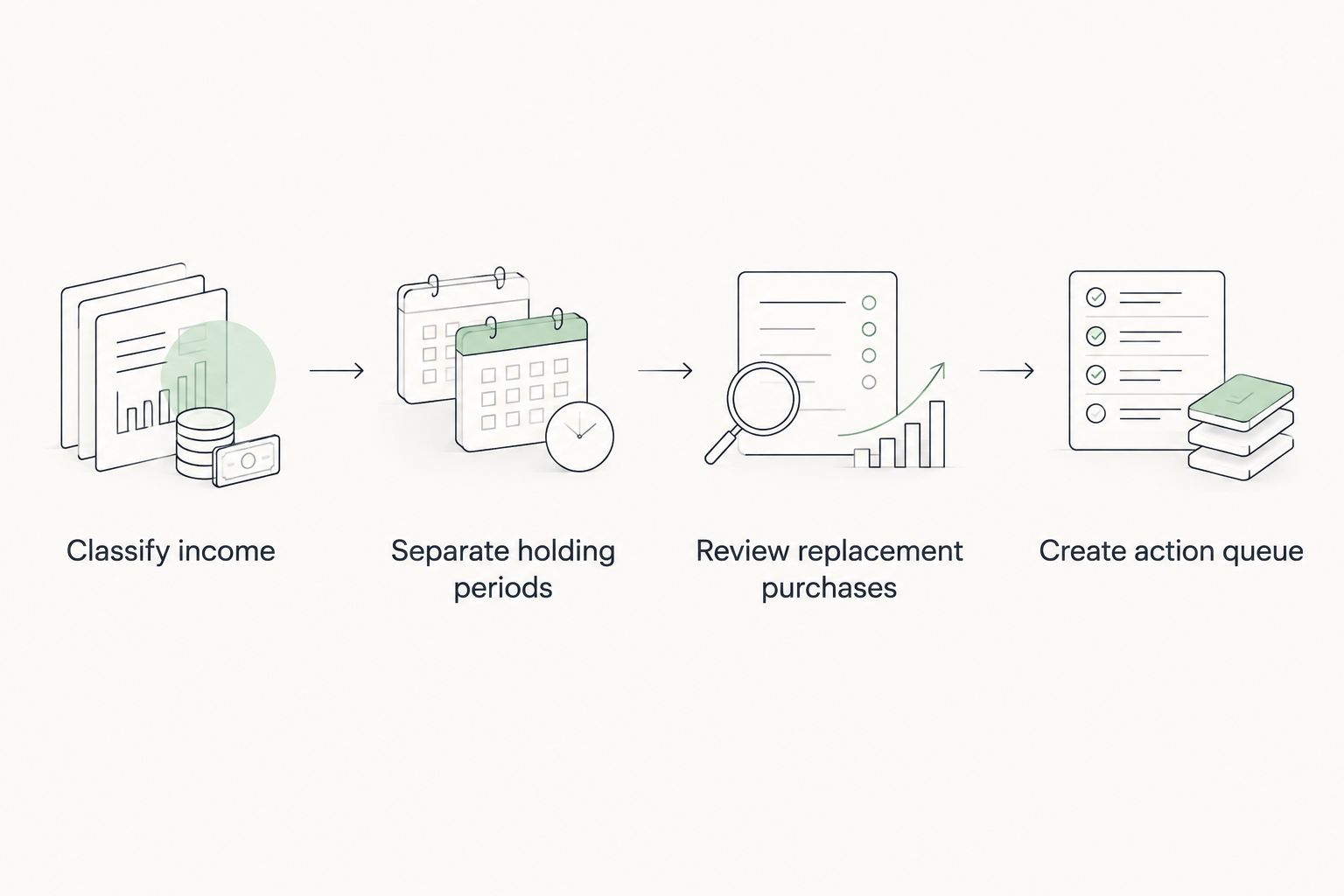
- Classify income. Separate interest, dividends, and sale proceeds. Keep qualified-dividend treatment provisional until you confirm the relevant reporting and holding-period requirements; a cash distribution alone does not establish its tax character.
- Separate holding periods. For ordinary capital-asset treatment, a holding period of more than 1 year generally produces long-term treatment. Keep short-term and long-term realized results separate before applying capital-gain netting rules.
- Review replacement purchases. Before relying on a loss, check purchases of substantially identical securities during the 30 days before and 30 days after the loss sale. Include automatic dividend reinvestments and relevant activity outside the selling account.
- Create an action queue. Add Issue, Evidence needed, Proposed action, Responsible person, and Review status columns. Separate record corrections from proposed trades and estimated-payment decisions.
Expected result: You have a list of decisions with supporting records, not merely a total labeled tax savings.
The wash-sale review is particularly important when dividend reinvestment remains active. A purchase you did not place manually can still affect the treatment of a loss. IRS Publication 550 explains investment income, capital gains and losses, and wash-sale rules; use it as the federal reference for your 2026 review.
For individuals, net capital losses generally offset ordinary income up to $3,000 per year, or $1,500 if married filing separately, with unused losses subject to carryforward rules. A realized loss is not the same as an immediate deduction of the entire loss against wages.
Review the whole tax estimate
- Combine the reconciled investment figures with other income, withholding, deductions, and relevant carryforwards. Do not calculate an investment tax bill in isolation from the return it will enter.
- Review whether the investment activity changes an estimated-payment calculation. Use the IRS Form 1040-ES instructions applicable to 2026 and account for your filing circumstances rather than applying a single percentage to proceeds.
- Record the assumptions behind proposed actions. State whether basis remains unresolved, a distribution's character is provisional, or a planned sale depends on a holding-period date.
- Obtain the appropriate tax and investment review before executing a trade. A transaction that reduces current taxable income can still conflict with portfolio allocation, liquidity needs, or investment risk limits.
Expected result: Your action queue distinguishes confirmed facts from unresolved assumptions and connects tax decisions to the broader investment plan.
Update the plan whenever activity changes
The adjacent workflow is an event-driven refresh: update the worksheet after a sale, transfer, reinvestment, or corrected tax document instead of rebuilding it from scratch.
- After a sale: Add the transaction, identify the lots used, and refresh realized short-term and long-term totals. Reopen the replacement-purchase review if the sale generated a loss.
- After a transfer: Confirm acquisition dates and basis moved with the holdings. Preserve the old custodian's records until discrepancies are resolved.
- After a reinvestment: Add the new purchase lot. Do not treat reinvested dividends as absent merely because no cash reached your bank account.
- After a corrected form: Compare the changed fields with your worksheet and any filed return. Have the filing implications reviewed rather than silently overwriting the original record.
For 2026, write the latest review date at the top of the planning file. Retain a prior version before each material update so a changed estimate remains explainable.
The update trigger is new information, not a promise of automatic tax optimization. A refresh keeps the evidence current; it does not decide which investments you should own.
Troubleshooting
Your worksheet shows more sales than the brokerage report
Check for overlapping export periods and duplicate imports. Match account, security, trade date, quantity, and proceeds before removing a row; distinct trades can look similar. Preserve the original files so the correction remains traceable.
Transferred holdings show missing cost basis
Request acquisition and basis records from the prior custodian, then compare them with your own confirmations. Do not substitute the transfer-date market value for original basis without a valid tax reason. Mark the calculation unresolved until you establish support.
A loss appears deductible, but another account bought the security
Expand the wash-sale review beyond the selling account and include relevant spouse and retirement-account activity. Do not assume every disallowed loss simply increases basis in a taxable replacement holding; replacement purchases in an IRA require particular care under IRS guidance.
Taxable income does not match cash withdrawn
Separate withdrawals from the events that generated income. Dividends can be taxable when reinvested, while a withdrawal can include previously invested principal. Reconcile the transactions rather than using money transferred to your bank as a proxy for taxable income.
Your estimate differs from the year-end tax documents
Compare reporting periods, corrected forms, basis adjustments, and final distribution classifications. A planning worksheet is provisional, not a substitute for filing documents. Keep a record of the difference and its resolution instead of forcing the figures to match.
Customize your workflow
Add complexity only where it changes a decision. A business owner can connect the investment worksheet to business cash-flow planning; a landlord can review brokerage liquidity alongside property obligations without combining unrelated tax categories.
For retirement planning, add an account-location review that distinguishes taxable holdings from tax-advantaged accounts. Consider withdrawal needs and account rules before treating a lower current tax figure as the deciding factor.
If unresolved tax obligations are also part of your situation, Rutter Organization's stated tax resolution services are a separate consideration from managing investments. Keep those workstreams distinct: accurate brokerage records support tax reporting, but they do not establish an IRS resolution outcome.
FAQ
How do I use brokerage statements for tax planning?
Use brokerage statements to identify accounts and activity, then connect completed sales to transaction records and tax lots. Separate realized gains, investment income, and unrealized changes before estimating tax.
Can I calculate investment taxes from my account balance?
No, an account balance does not identify taxable investment income. Deposits, withdrawals, market changes, and completed transactions must be separated before you calculate a tax estimate.
Do I need to connect my brokerage account to software?
No, you can use downloaded records and a reconciled worksheet. A direct connection is not required for this workflow, and the worksheet does not authorize trading or account access.
Does selling investments inside an IRA create a capital gain?
Sales inside an IRA generally do not create the same current capital-gain reporting as sales in a taxable brokerage account. Distribution rules and the account's tax treatment require a separate review.
How long do I need to hold an investment for long-term treatment?
For ordinary capital-asset treatment, you generally must hold the investment for more than 1 year. Confirm the acquisition and disposition dates and check whether special rules apply to the asset.
Can automatic dividend reinvestment cause a wash sale?
Yes, automatic reinvestment can create a replacement purchase relevant to wash-sale rules. Review purchases during the 30 days before and 30 days after a loss sale, including relevant activity in other accounts.
Should I use a monthly statement instead of Form 1099-B?
No, a monthly statement does not replace Form 1099-B for tax reporting. Use statements for planning and reconciliation, then review the applicable tax forms, basis records, and adjustments when preparing the return.
One last thing
Review automatic reinvestment before relying on a planned tax-loss sale. The next replacement purchase can come from an existing account setting rather than a new trade you deliberately place. Put that check in the action queue before executing the sale, not after preparing the return.