

Instead of rebuilding your Texas franchise tax records at filing time, connect your books, state reporting obligations, and business tax plan through one reconciliation workflow. For Texas franchise tax business tax planning, the essential move is to separate what you must file from what you must pay, then carry both into your operating calendar.
- Texas franchise tax business tax planning starts by separating filing obligations from tax due.
- Reconcile revenue, deductions, and Texas receipts before updating your business tax plan.
- Rutter Organization serves individuals and businesses seeking tax resolution services, not a filing-software integration.
- Keep state franchise tax calculations separate from federal income tax projections.
Why this matters
A federal tax return does not establish your Texas franchise tax liability. Texas uses its own revenue definitions, margin calculations, and apportionment rules, so a federal deduction does not automatically reduce the state calculation.
Rutter Organization is a fit for individuals and businesses seeking tax resolution services. The Rutter Organization serves that audience alongside its private investment, real estate, and media activities; this guide explains a records-based workflow rather than a proprietary software connection.
For your 2026 plan, build an evidence trail from each reporting figure back to the books. That trail lets you distinguish an actual tax change from a bookkeeping correction and keeps filing responsibilities visible even when no franchise tax is due.
Before you start
- Gather account access and authority. Have authorized access to the Texas Comptroller’s Webfile system, your franchise tax account details, and the records needed to identify the reporting entity. Do not share individual login credentials with an outside preparer.
- Assemble the reporting packet. Collect your general ledger, financial statements, applicable federal return, ownership records, previous franchise tax submissions, and Texas receipts support. Mark each document with its accounting period and entity name.
- Resolve the filing-status gotcha first. No tax due does not automatically mean no filing obligation. Under the Texas Comptroller’s 2026 instructions, entities below the no-tax-due threshold generally do not submit a No Tax Due Report, but applicable information-report obligations remain.
Confirm whether related entities require combined reporting before calculating a stand-alone liability. Shared ownership and unitary-business rules can change the reporting group; separate bank accounts do not settle that question.
Entity and filing-status configuration
- Identify the taxpayer. Record the legal name, Texas taxpayer number, federal identification number, accounting period, and entity classification in your planning worksheet. Match those details against the Comptroller account rather than relying on a trade name.
- Confirm the reporting group. Document whether the entity files separately or belongs in a combined group. Have a qualified tax professional review ownership changes, acquisitions, and related operating entities before accepting last year’s treatment.
- Check the report-year rules. For 2026, the Texas Comptroller lists a $2.65 million annualized total-revenue no-tax-due threshold. Apply the annualization rules when required; do not compare a short-period revenue figure directly with an annual threshold.
- Record every required submission. Identify the franchise tax report, if required, and the applicable Public Information Report or Ownership Information Report. These reports serve different purposes and are not interchangeable.
- Assign responsibility. Name the person preparing the calculation, the person approving it, and the person submitting each required report. Record separate responsibilities for payment approval and record retention.
Expected result: You have a written determination of who reports, which period applies, and which submissions remain necessary. No calculation should proceed with an unresolved taxpayer identity or reporting-group question.
Revenue and margin reconciliation
Your books supply the evidence, but they are not the finished franchise tax calculation. Create a bridge worksheet that explains every adjustment between book revenue, the federal return where applicable, and Texas total revenue.
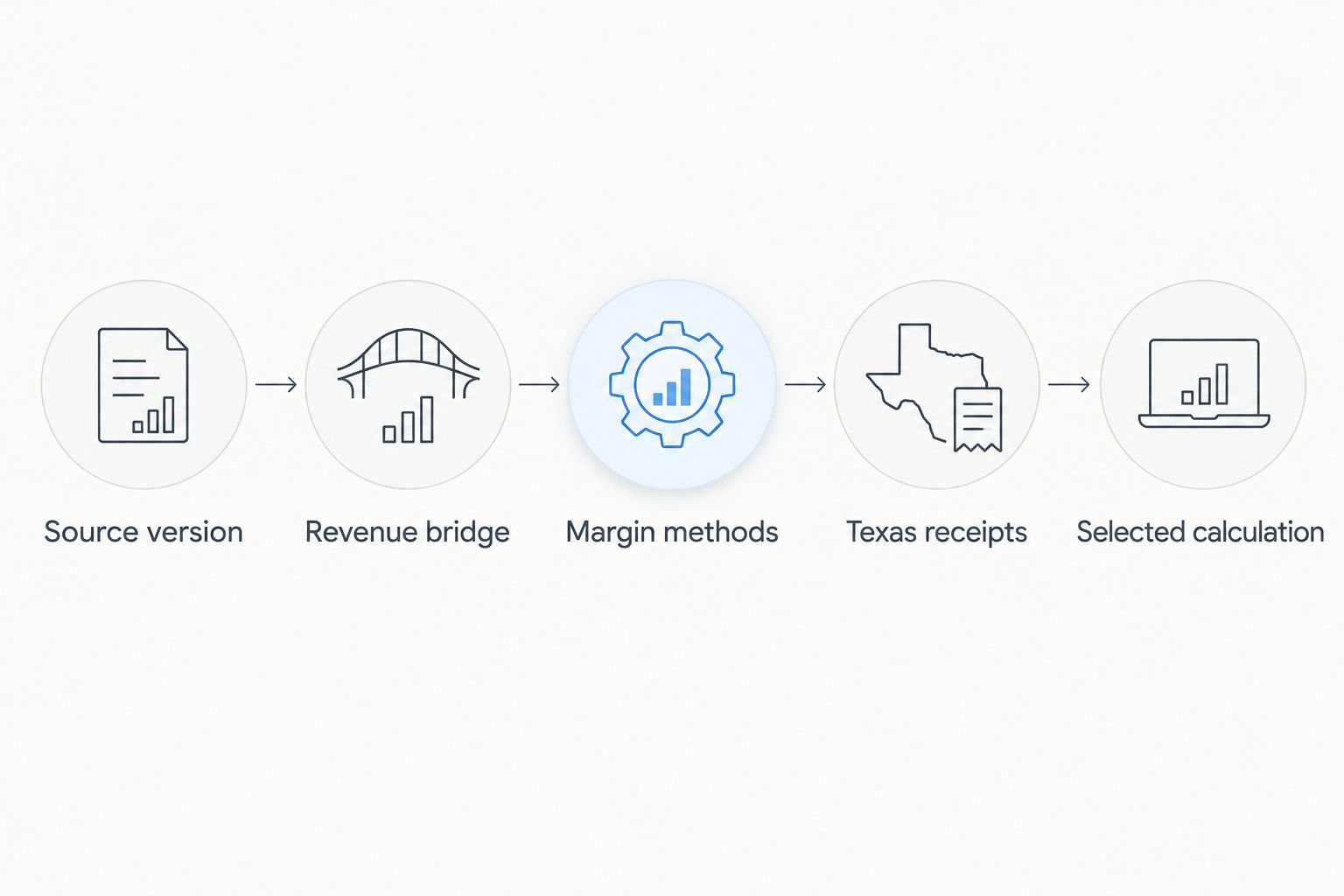
- Freeze a source version. Save dated financial statements and a ledger export for the applicable accounting period. Keep later corrections in a change log so a reviewer can reproduce the figures used for filing.
- Build the revenue bridge. Start with the relevant federal-return revenue lines identified in the Comptroller’s instructions, where applicable. Document permitted exclusions and differences from the books instead of using bank deposits as a substitute for total revenue.
- Compare permitted margin methods. Where the regular calculation applies, review the methods for 70% of total revenue, revenue less qualifying cost of goods sold, revenue less qualifying compensation, and the statutory revenue subtraction. Test eligibility before comparing results.
- Support Texas receipts. Classify receipts using Texas sourcing rules and preserve the supporting contracts, invoices, and work records. A customer’s billing address alone does not establish the correct sourcing treatment for every transaction.
- Document the selected calculation. Record the method, supporting schedules, apportionment treatment, applicable rate, and reviewer approval. If the E-Z Computation applies, evaluate its separate eligibility and restrictions rather than mixing it with regular-method deductions.
Expected result: Every material reported figure traces to a source record or a documented adjustment. Your worksheet also explains why the selected calculation applies.
The Texas Comptroller’s 2026 franchise tax guidance lists a 0.75% regular rate for most taxable entities and a 0.375% rate for qualifying retailers and wholesalers. Do not select the lower rate merely because your business sells something; the qualifying-business rules control.
Business tax plan configuration
Connect the reviewed state calculation to your broader plan without treating state and federal taxes as the same liability. Use a planning schedule with separate lines for the franchise tax calculation, federal projections, payments, and unresolved questions.
- Separate the tax models. Keep the Texas revenue bridge and margin calculation distinct from federal taxable income. Link shared source records, not assumed tax outcomes.
- Enter the filing calendar. The regular annual Texas franchise tax deadline is May 15, 2026. Record applicable information-report deadlines and any valid extension requirements separately; an extension does not erase payment obligations.
- Set a cash-reserve decision. Use the reviewed liability estimate and documented payments to establish the remaining funding need. Keep that reserve separate from sales tax, payroll tax, and federal income tax funds.
- Add decision checkpoints. Require a fresh review before an acquisition, entity restructuring, substantial revenue change, or major change in where work is performed. Record both the decision and the tax assumptions supporting it.
- Choose a maintenance approach. Use the table below to match the workflow to how your records actually change. Neither approach replaces a filing review.
| Workflow | Best for | Advantage | Limitation |
|---|---|---|---|
| Period-end reconciliation | Businesses with stable records and limited structural change | Keeps the process focused on a defined reporting packet | Errors remain undetected until reconciliation begins |
| Monthly planning refresh | Businesses with changing revenue, operations, or ownership | Brings changes into the planning discussion earlier | Requires recurring review and consistent record classification |
Expected result: Your 2026 business tax plan identifies required filings, the state tax funding decision, and the events that trigger recalculation. Federal planning remains connected through the records, not through an assumption that the tax bases match.
For the bookkeeping side, use the QuickBooks records-to-business-tax-planning workflow to organize the source-record handoff. Accounting exports still need a Texas-specific review.
Submission and evidence controls
A completed worksheet is not proof of filing. Close the workflow by matching the approved calculation to the actual submission and preserving separate evidence for any payment.
- Open the correct account in Webfile. Confirm the taxpayer and report year before entering or reviewing figures. Use the report applicable to your entity and filing status rather than copying an unrelated account’s workflow.
- Review before submitting. Compare the final report against the approved reconciliation, including revenue, deductions, Texas receipts, and reporting-group details. Resolve differences before authorization.
- Complete required information reporting. Review the Public Information Report or Ownership Information Report, as applicable. An accepted tax submission does not establish that every associated reporting obligation is complete.
- Preserve submission and payment evidence. Save acknowledgments, filed copies, payment confirmations, and the approved workpapers together. Check that an authorized payment actually settles; a saved instruction is not the same as a completed transfer.
- Close open items. Update the planning schedule with submitted reports, payments, unresolved notices, and the next review date. Assign an owner to anything still outstanding.
Expected result: Your evidence packet shows what was filed, what was paid, and which matters remain open. Keep the original submission when correcting a filing so the sequence remains understandable.
Refresh the plan whenever your books change
A second workflow connects ongoing bookkeeping corrections to your tax plan. Use a change-triggered review when new information affects a previously approved assumption. Do not automatically replace filed figures with the latest ledger balance.
Start with a change log containing the entity, affected period, revised account, explanation, supporting document, and reviewer. Then classify the change:
- Current-period correction: Update the planning worksheet and recalculate the affected projection.
- Filed-period correction: Determine whether the change affects a submitted report and whether an amended filing is required.
- Structural change: Reassess the reporting group, entity treatment, or receipts sourcing before recalculating.
Keep review authority separate from data entry. An accounting-system rule can flag an updated balance, but it cannot establish whether a transaction qualifies for a Texas deduction or belongs in a combined group.
The benefit is earlier visibility into changed assumptions. The trade-off is recurring review work: a monthly refresh only helps when someone investigates the differences rather than approving the same worksheet automatically.
Troubleshooting
Your federal profit and Texas calculation disagree
Reconcile the tax bases instead of forcing them to match. Texas franchise tax uses state-specific revenue, margin, and apportionment rules; review exclusions, deduction eligibility, and sourcing before changing either return.
No tax is due, but reporting remains incomplete
Check the applicable information-report requirement separately from the tax calculation. For 2026, being below the no-tax-due threshold does not by itself eliminate the relevant Public Information Report or Ownership Information Report obligation.
The projected liability changes after closing the books
Compare the saved source version with the revised ledger. Identify the transactions responsible, update the revenue bridge, and determine whether the change belongs in the current projection or requires review of an already-filed period.
A related entity is missing from the worksheet
Stop the stand-alone calculation and review combined-reporting requirements. Ownership records, business relationships, and the unitary-business analysis matter more than whether each entity maintains separate accounting software.
A report was submitted, but payment is unresolved
Check filing acknowledgment and payment status independently. Review bank settlement evidence and Comptroller account activity before treating the liability as paid; preserve any rejection or return notice for follow-up.
Customize your workflow
Expand the planning worksheet around the decisions your business actually faces. A landlord needs property-level records connected to entity records; an operating business needs a clear explanation of qualifying costs, compensation, and receipts sourcing.
Add an issues register beside the calculation, not hidden inside it. Give each issue an owner, a supporting document, a decision deadline, and a recorded resolution. This keeps unresolved tax questions from becoming unexplained spreadsheet assumptions.
If you seek tax resolution assistance from Rutter Organization, organize state notices separately from IRS correspondence. Texas franchise tax matters belong to the Texas Comptroller; an IRS payment arrangement does not resolve a Texas account balance.
For technical calculation or filing decisions, confirm the adviser’s scope and authority before engagement. The workflow supports that review but does not replace an entity-specific tax determination.
FAQ
How do I connect Texas franchise tax filings to business tax planning?
Connect them through a reconciliation worksheet linking source records, Texas revenue adjustments, the applicable calculation, deadlines, and payment decisions. Keep the state calculation separate from federal taxable income while using a shared evidence packet.
Does no Texas franchise tax due mean I do not have to file anything?
No. Applicable information-report obligations can remain even when no franchise tax is due. Check whether your entity must submit a Public Information Report or Ownership Information Report under the current Comptroller instructions.
When is the Texas franchise tax deadline in 2026?
The regular annual Texas franchise tax deadline is May 15, 2026. Review your entity’s applicable reporting duties and extension requirements separately, including payment conditions.
Can I use my federal taxable income for Texas franchise tax?
No, federal taxable income is not a substitute for the Texas franchise tax calculation. Texas applies its own total-revenue, margin, deduction, and apportionment rules.
Can bookkeeping software automatically determine my Texas franchise tax?
Bookkeeping software supplies records but does not by itself establish the correct Texas tax treatment. Review reporting-group status, revenue adjustments, deduction eligibility, and receipts sourcing before filing.
Should I update my business tax plan after correcting the books?
Yes, review any correction that changes an assumption used in your tax plan. Distinguish a current-period projection change from an error affecting an already-filed report before taking action.
Does an IRS payment plan cover Texas franchise tax debt?
No, an IRS payment plan addresses federal tax obligations, not a Texas Comptroller balance. Track state and federal notices, payment arrangements, and filing requirements separately.
One last thing
A zero-tax result is still a result worth documenting. Preserve the revenue calculation, applicable threshold analysis, and information-report determination rather than saving only a note that nothing was owed.
For your 2026 file, put that explanation beside the filing evidence. The next reviewer should understand why the outcome was correct without reconstructing your reasoning from bank statements and email threads.